Updated: October 26, 2026
The orientation problem every volunteer program has
A food distribution on a Saturday morning in Little Haiti, a reading program in a Hialeah elementary school, a beach cleanup on Virginia Key, a hurricane supply drive: most Miami nonprofits depend on volunteers who show up for a few hours, often for the first time, and need to know what to do in the first ten minutes. The volunteer coordinator explains it all again, every shift, to every new group, while also checking people in and unlocking the storage room. Some of it sticks. Some of it does not, and the rules that matter most (safety, confidentiality, how to talk to the people the program serves) are exactly the parts that get squeezed when the coordinator is stretched.
Volunteer training video solves a specific part of that problem. It delivers the same orientation, the same way, before the volunteer arrives, and frees the coordinator for the questions that need a person. This guide explains what to put in volunteer onboarding videos, how to structure a short series, how to film it with your own staff and volunteers, and how to keep it current without starting over every year.
What volunteer training video is good for, and what it is not
Video works well for anything that is the same every time: the welcome and the mission, where to park and how to check in, safety rules, how a station works, what the program's clients experience, and the boundaries volunteers must keep. It works badly as a replacement for supervision on the day, for questions that depend on the situation, or for sensitive training that needs discussion, such as working with survivors of abuse. Use video to prepare people and a live briefing to confirm and adjust.
A simple structure: short modules
A single 25 minute orientation video will not be watched to the end. A set of short modules, each with one job, works much better and is far easier to update. A typical set for a Miami nonprofit:
| Module | Length | Content |
|---|---|---|
| Welcome and mission | 2 to 3 minutes | Who we serve, why the work matters, what a good shift looks like; ideally the executive director and a longtime volunteer |
| Arrival and logistics | 1 to 2 minutes | Parking, entrance, check-in, what to wear, what to bring, where to leave belongings |
| Safety | 2 to 4 minutes | Lifting, heat and hydration, hazards on site, emergency exits, who to tell if something goes wrong |
| Role walkthroughs | 2 to 3 minutes each | One video per station or role: sorting, packing, tutoring, registration, driving |
| Dignity and confidentiality | 2 to 3 minutes | How to speak with clients, photography rules, privacy, what not to share on social media |
Link the modules from the volunteer sign-up confirmation email and the volunteer portal, and ask new volunteers to watch the first three before their first shift. Role videos can be played on a tablet at each station on the day.
Topics Miami programs should never skip
Heat
Outdoor volunteering in South Florida from May to October means real heat risk. A short, specific segment on water, shade, breaks and the early signs of heat exhaustion, filmed at your actual site, is more useful than any printed handout. Ask a staff member with first aid training to present it, and base the content on guidance from a recognized source such as the American Red Cross or your local health department.
Language
Many volunteers and clients speak Spanish or Haitian Creole as a first language. Record modules in English with Spanish and Creole subtitles, or record the key modules separately in each language with a native speaker. Our article on multilingual nonprofit video in Miami covers the options.
Dignity and photography
Volunteers take photos. Most mean well. A clear module on when and how to photograph at the program, and when not to (never clients without consent, never children, never addresses or faces at a shelter), prevents the most common and most damaging mistake. The principles in our guide on consent and dignity when filming the people your mission serves apply equally to volunteers with phones.
Filming it: who should be on camera
Real staff and real volunteers make the best presenters. They know the work, they say it in the words people actually use on site, and viewers recognize them when they arrive. A few practical points:
- Pick presenters who are comfortable and clear, not necessarily the most senior people.
- Film walkthroughs as the task is actually done, at the actual site, with the actual equipment.
- Show the mistake and the fix: the box lifted wrong and then lifted right, the conversation handled badly and then well.
- Leave client faces out of training material unless you have specific, informed consent for that use.
- Film on a quiet day or before a shift so the work of the program is not disrupted.
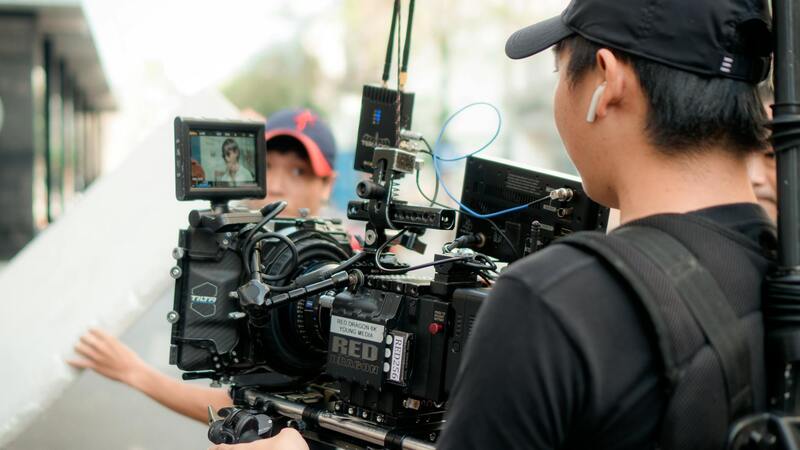
A professional crew can film five to eight short modules in a single well planned day at one site. Many organizations then film small updates themselves. Our article on building in-house video at a Miami nonprofit explains a simple phone kit and templates that match the professional footage.
Groups, schools and corporate volunteer days
Corporate teams, school service-hour groups and church groups often arrive twenty or thirty at a time. Send the group leader a single link to the essential modules a few days before, and ask them to confirm that everyone has watched. On the day, play the safety module on a screen or a large tablet while people sign in. Students volunteering for community service hours are often minors, so add a short segment for their supervising adults about what the students can and cannot do on site.
Keeping training current
Programs change. The check-in moves, a new station opens, the safety rules are updated. Plan for this from the start:
- Keep facts that change often (addresses, times, phone lines) out of the spoken script and put them on a text slide or in the email instead.
- Keep each module short and separate so one can be reshot without touching the others.
- Store the project files and raw footage so an editor can update a module later.
- Review every module once a year with the volunteer coordinator.
Does it work? What to measure
Look at completion rates for each module, the number of questions the coordinator gets on the day, no-shows among new volunteers and incident reports. Ask new volunteers after their first shift what they wish they had known. Our guide to measuring nonprofit video suggests a simple way to report results to a board or funder.
Training videos also help with funding. Many funders want to see that a program can scale and train people consistently, and a volunteer orientation series is concrete evidence of that. Our article on volunteer recruitment video covers the other half of the pipeline, getting people to sign up in the first place.
Volunteer training video with our Miami team
We produce volunteer orientation and training series for Miami nonprofits, schools and community organizations, usually in a single filming day at your site. We help you write short scripts with your coordinator, film staff and volunteers at the real stations, add English, Spanish and Haitian Creole subtitles and deliver modules sized for your email, volunteer portal and tablets on site. We plan every series so you can update one module at a time as your program changes, and we work within nonprofit budgets.
If your coordinator is repeating the same orientation every Saturday, send us a short description of your program and your volunteer roles through the contact page. You can read about our work with mission-driven organizations on the about page.